STEP 01
Ingest spatial evidence
Drone, satellite, lidar, and rasters — plus vectors, GeoJSON, CSV, and field data, unified in one place.
SatelliteDroneLiDARVectorsGeoJSONCSV
NIKA Planet
Work with aerial images of every kind, from drone and satellite scenes to lidar, point clouds, rasters, vectors, and field evidence. NIKA Planet is an all-in-one geospatial platform — one cloud GIS workbench to complete the annotate-train-deploy loop and turn model outputs into maps, dashboards, and reusable spatial apps.
The platform
Maps, notebooks, labeling, dashboards, and shared data — every workflow runs in one place, on top of your data lake.
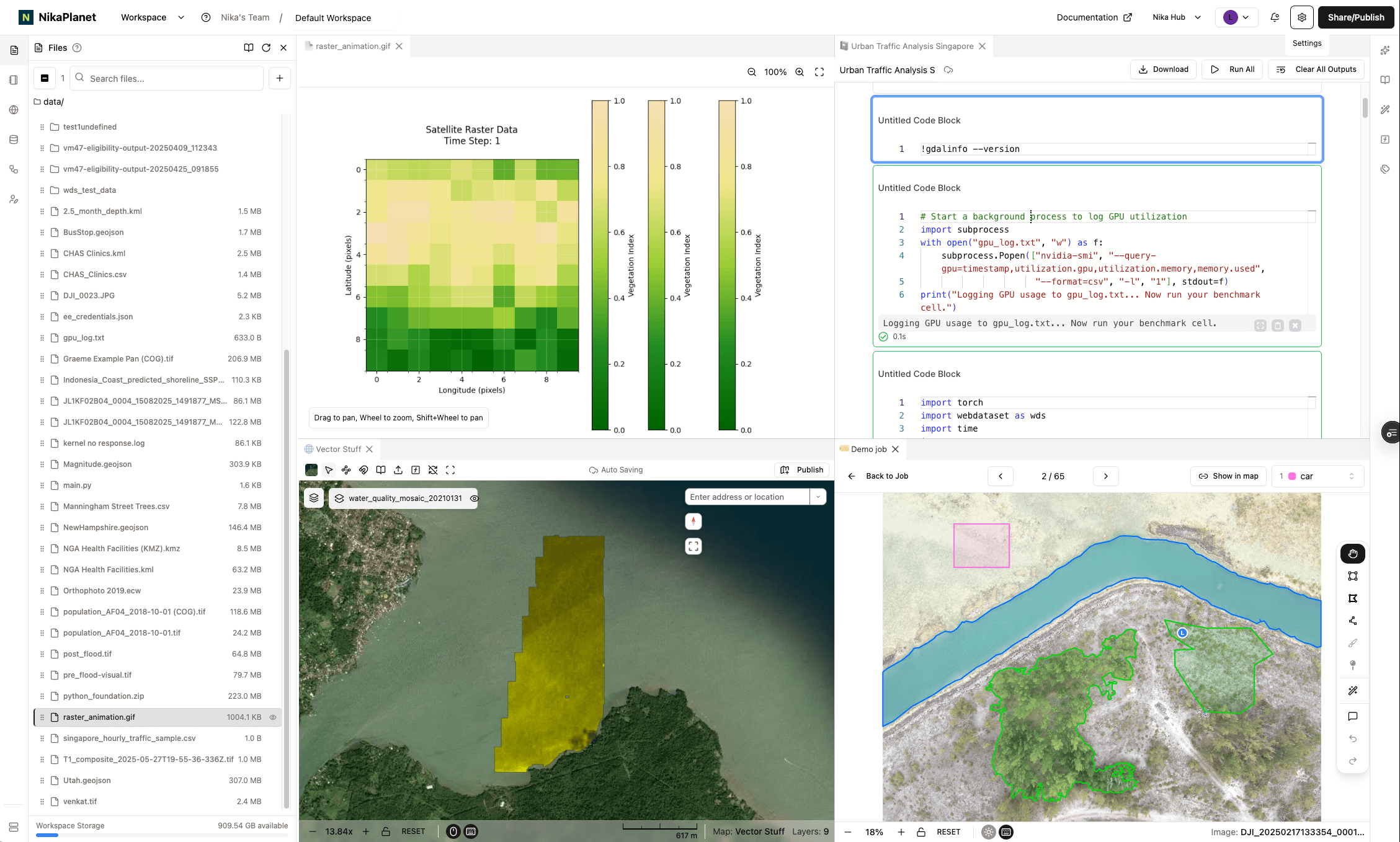
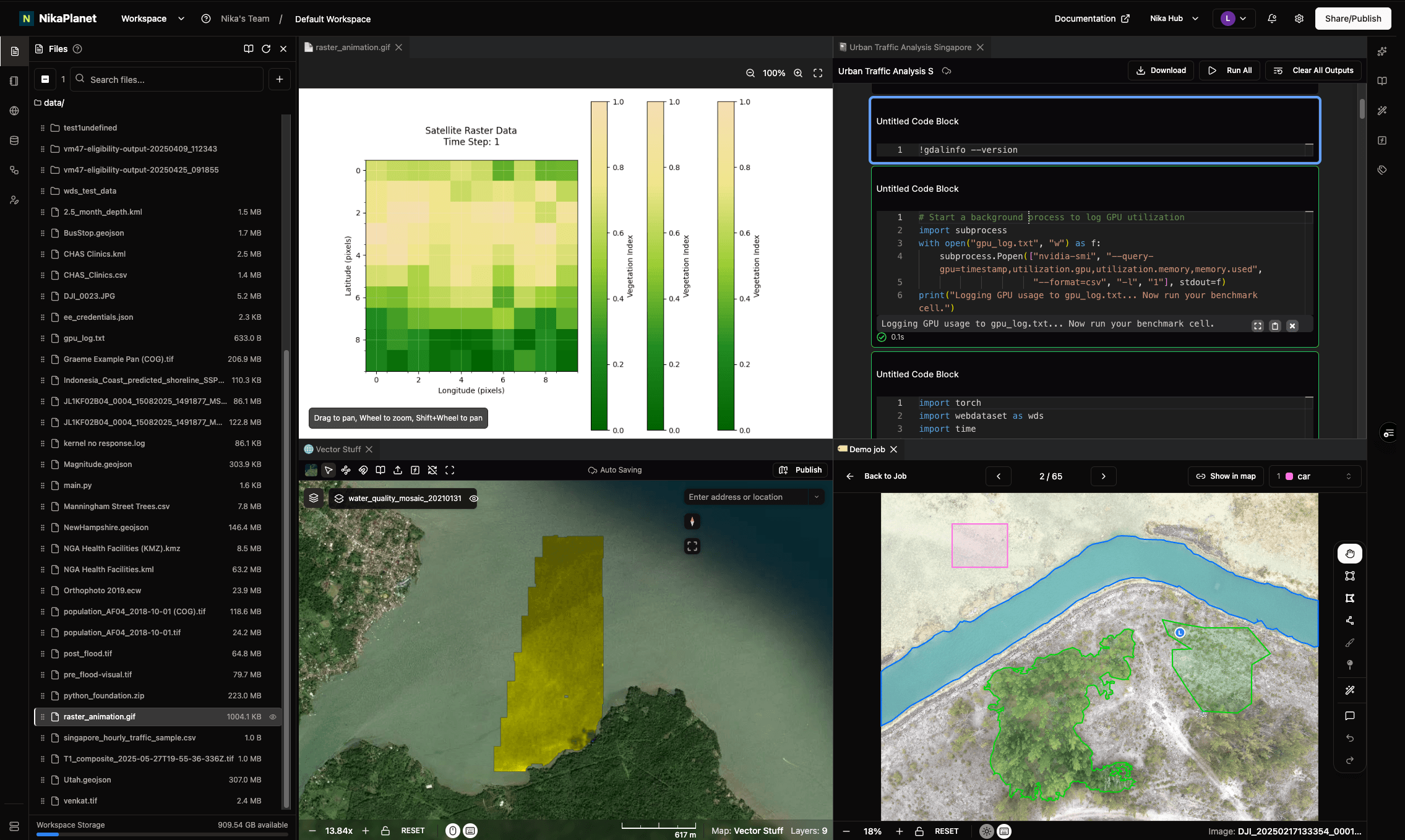
Cloud platform layers
From raw aerial evidence to deployed map intelligence — one platform for the whole loop. Scroll to follow the path.
Drone, satellite, lidar, and rasters — plus vectors, GeoJSON, CSV, and field data, unified in one place.
SAM-assisted masks with team assignment — route each task to two annotators who must agree before it is marked ready for review.
Clean and preprocess every layer, then convert to cloud-optimized formats like COG and Zarr for fast, scalable access.
Run notebooks and GPU jobs next to the data — and fan out many runs at once with NIKA's native parallel Runner SDK.
Compare accuracy, IoU, and experiments side by side, tracked end to end with MLflow.
Ship each model as an inference function — on the map, via API, or straight into enterprise GIS like ArcGIS Pro and QGIS.
Every deployment is versioned, so models retrain on new evidence and redeploy in one click — closing the loop back to labeling.
Feature highlights
Workspace, Map, Labeler, Notebook, Flow, DBMS, Dashboard, Hub, and GeoEngine — each a focused product, all on one cloud operating layer for geospatial AI. Here is what each one does and the outcomes it delivers.
Workspace is a petabyte-scale geospatial data lake where teams store, process, and analyze massive datasets in one shared place. Analysts ask questions in plain English and let the built-in AI surface patterns and anomalies, while folders auto-sync between the web and connected machines — one source of truth instead of scattered files and tools.
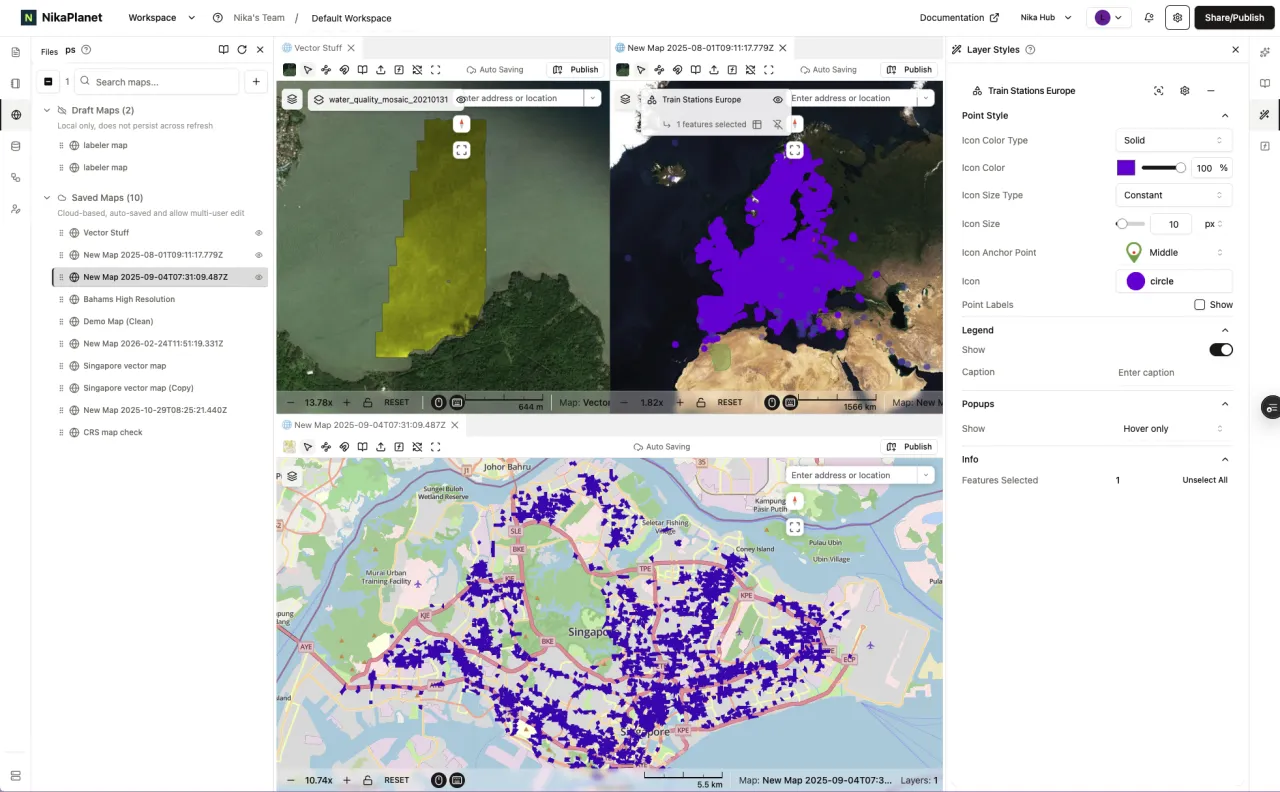
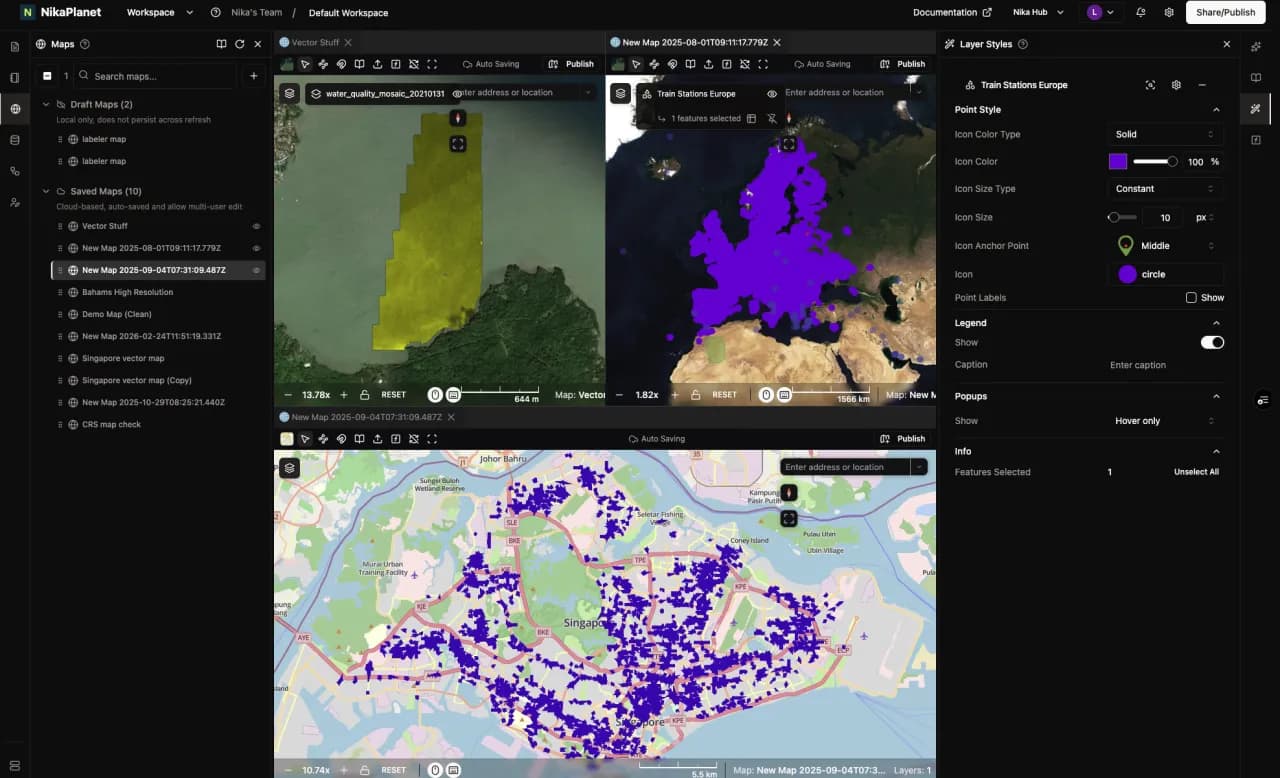
Map is a GPU-accelerated, WebGL mapping framework that renders millions of features and gigabytes of imagery fluidly — nothing to install. Teams edit the same map together with Google-Docs-style auto-save, live cursors, and full version history, so decisions get made faster with a clear audit trail of who changed what.
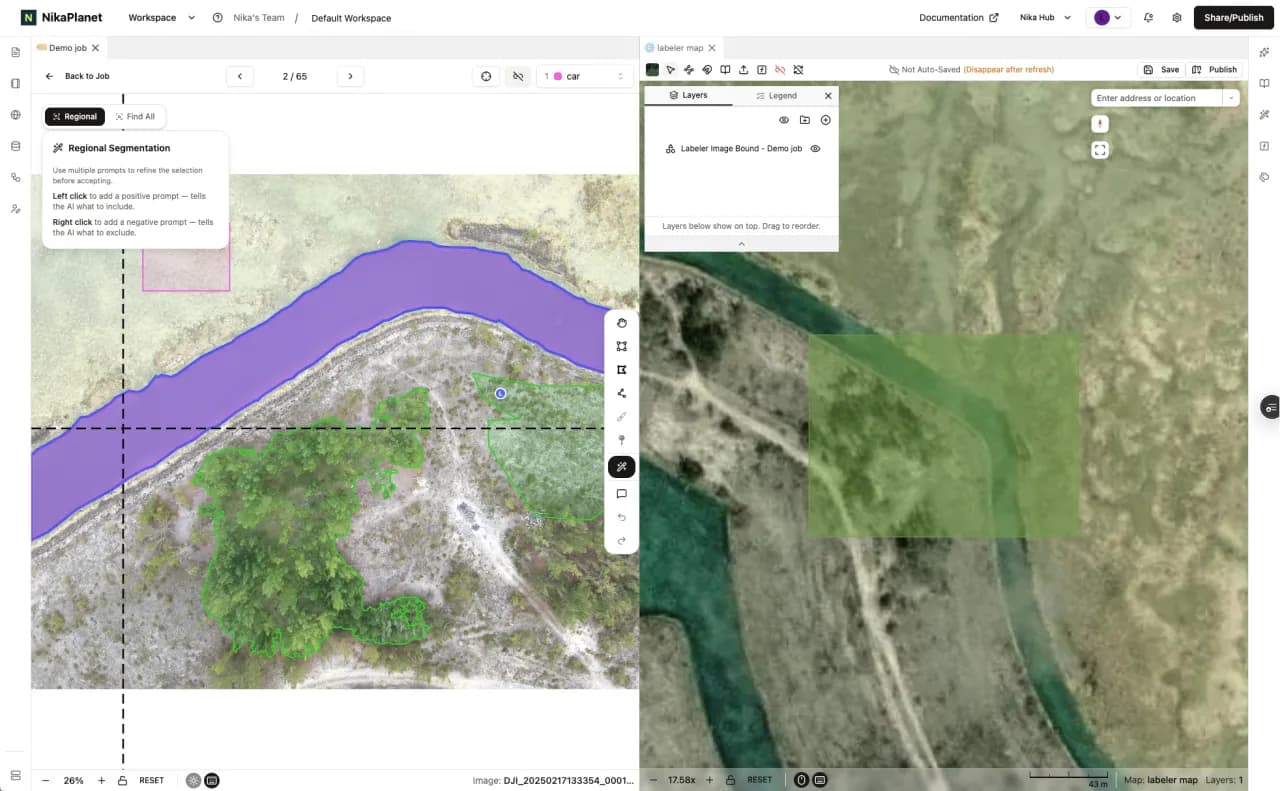
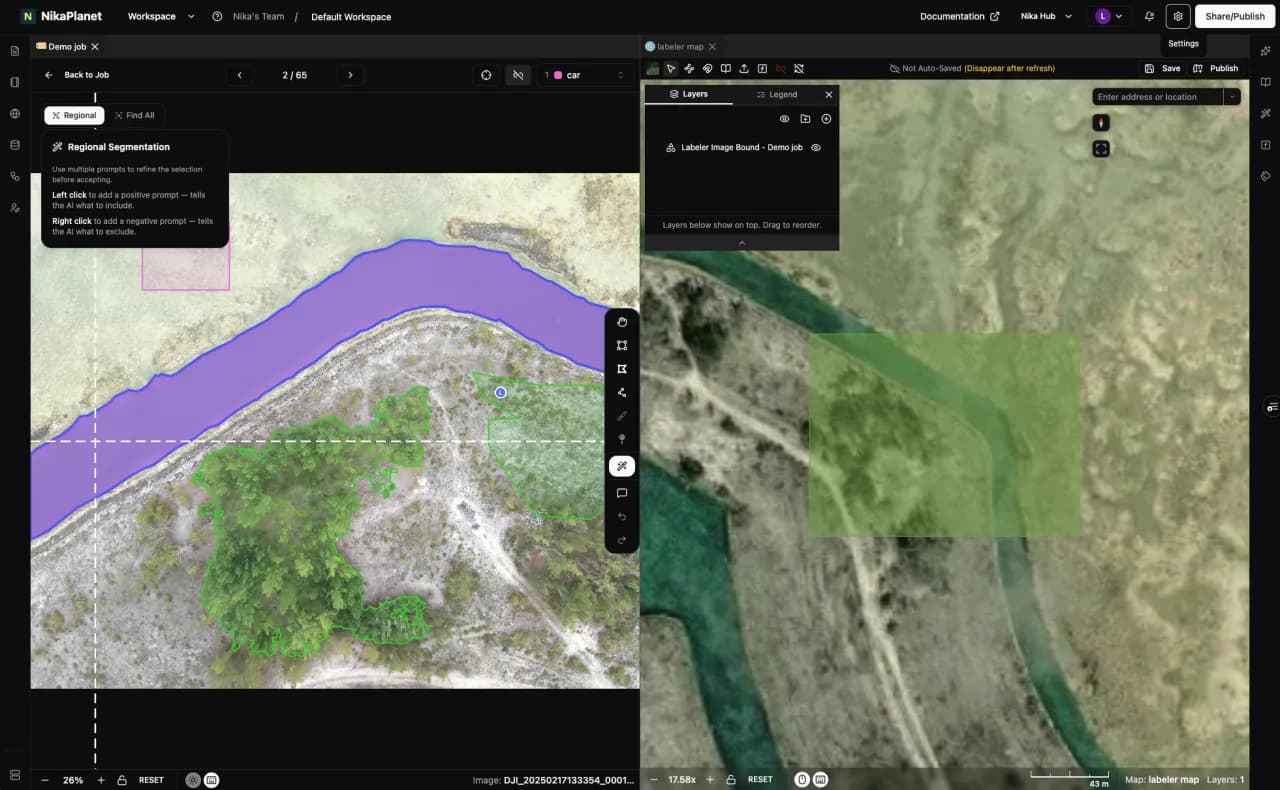
Labeler is a geospatial-first annotation platform built for top-down imagery, with many people labeling at once in real time. AI detection and text-prompted segmentation let users tag objects just by describing them, while a built-in reviewer approval flow keeps quality high — labeled datasets ship faster with consistent oversight.
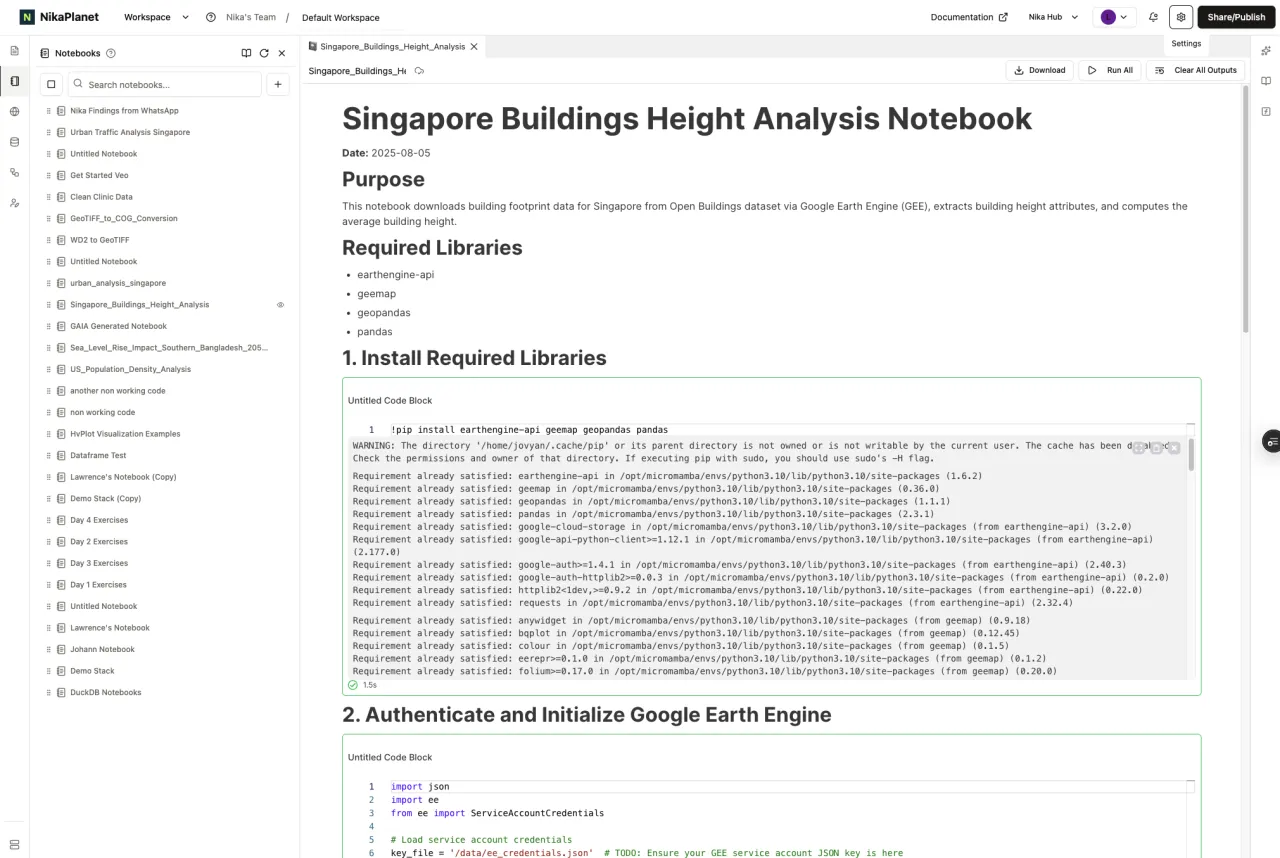
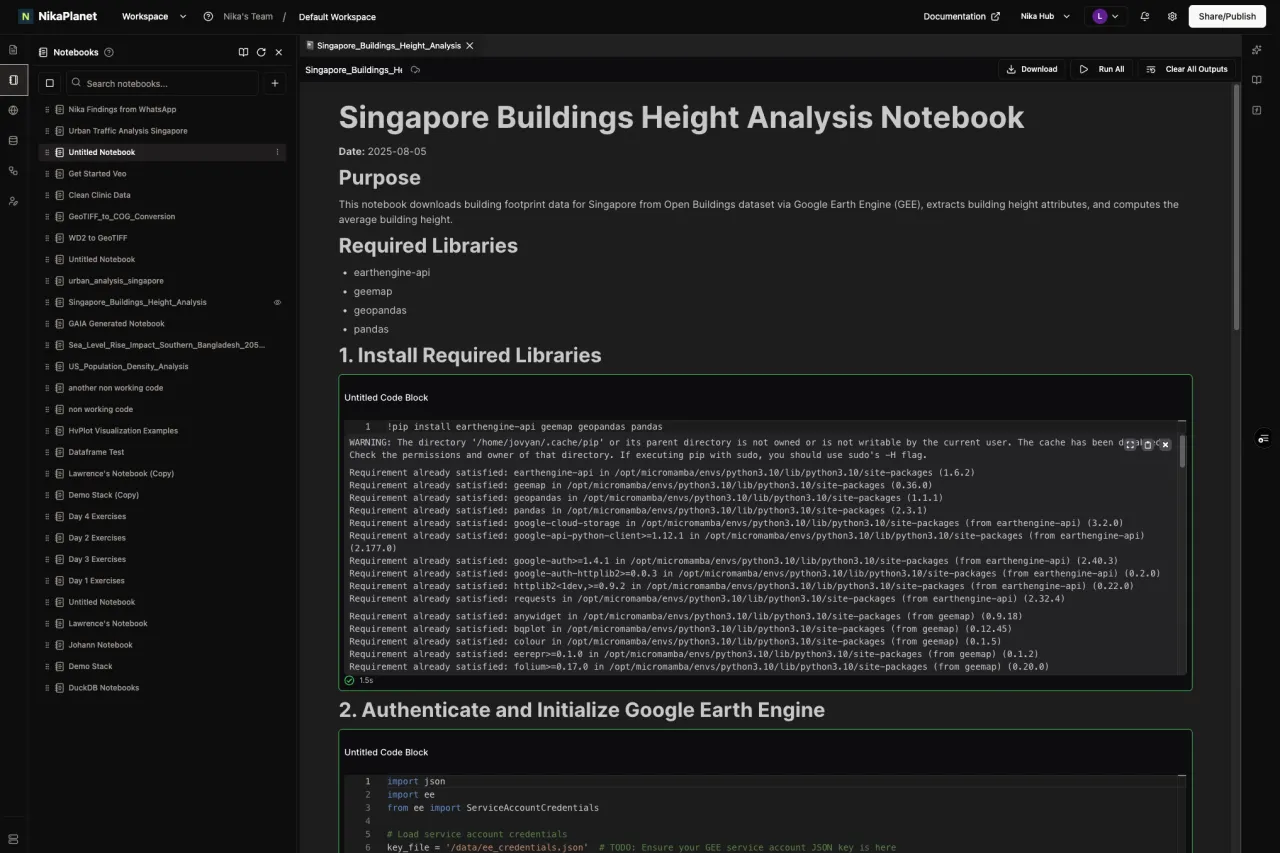
Notebook is a Jupyter environment purpose-built for geospatial work, with geo libraries preinstalled and real-time co-editing. Teams pick the compute they need — from CPU-only up to GPU machines — and heavy jobs keep running server-side even if a connection drops, removing infrastructure setup friction.
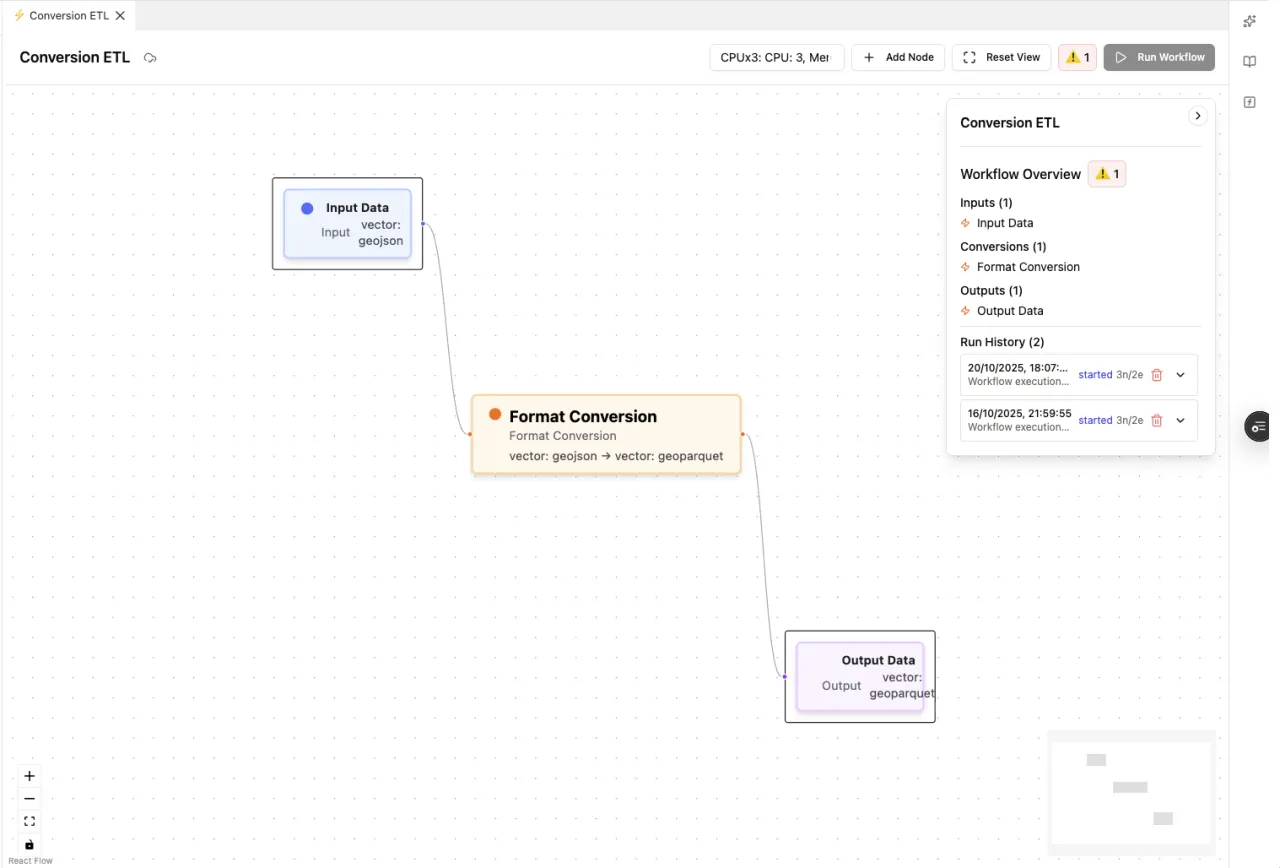
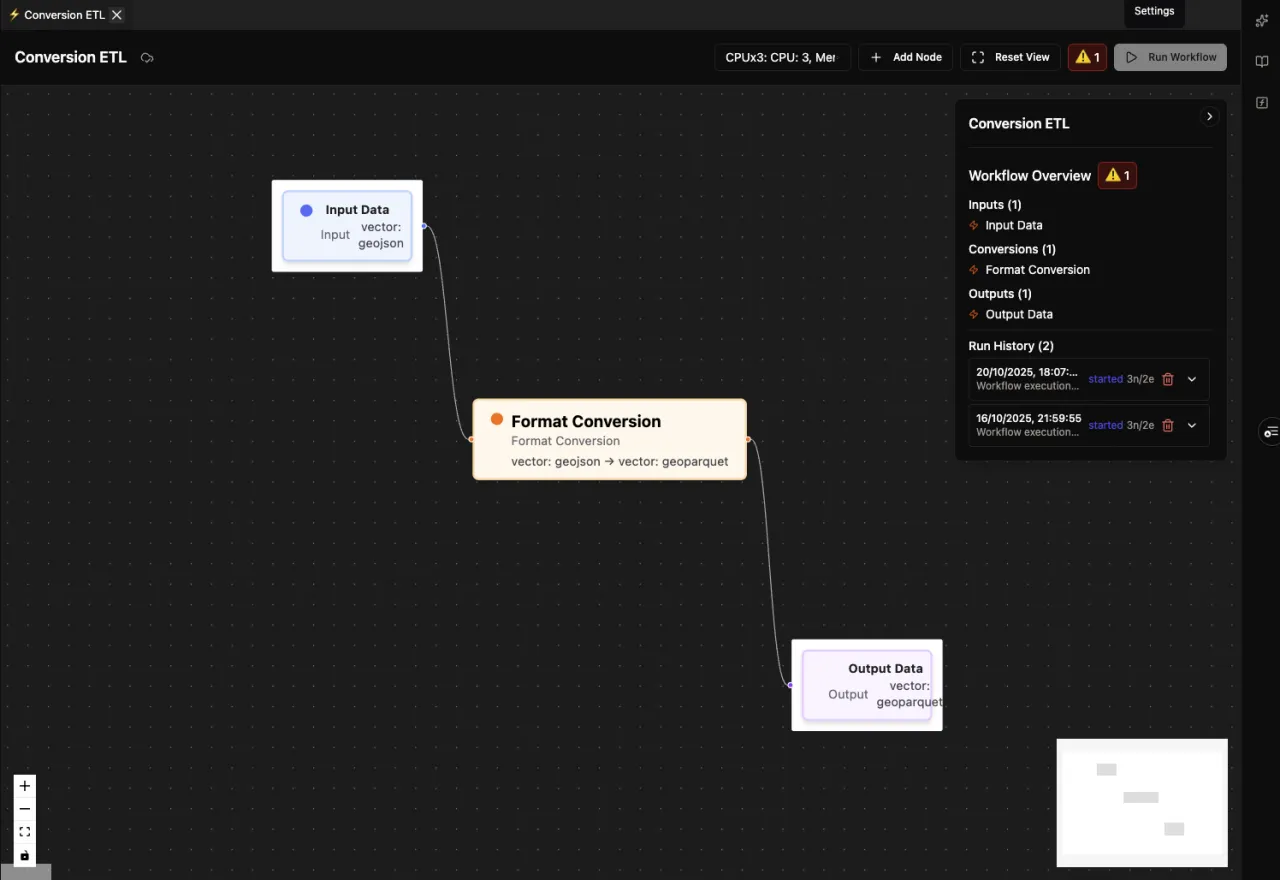
Flow is a cloud ETL tool focused on data conversion — translating geospatial and 3D datasets from one format to another, and reprojecting coordinate systems along the way. Teams use it to standardize incoming data and move it between tools without writing one-off conversion scripts.
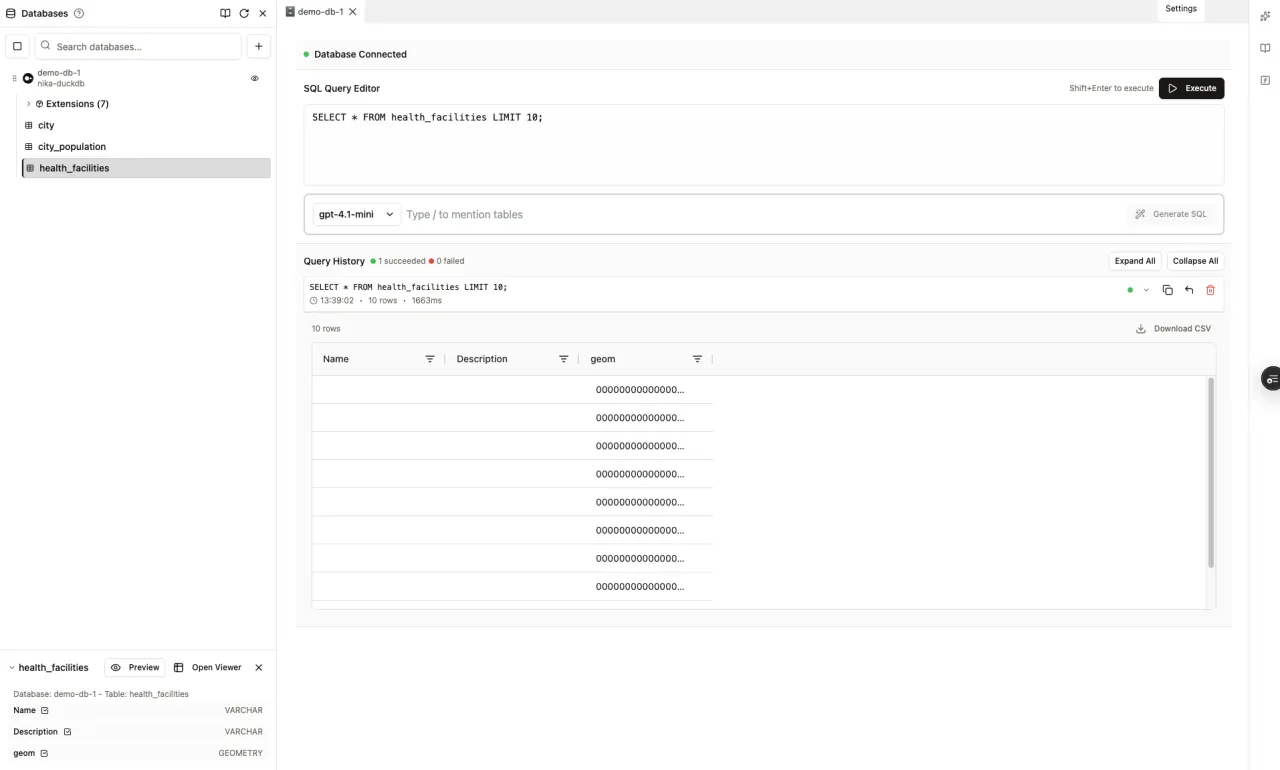
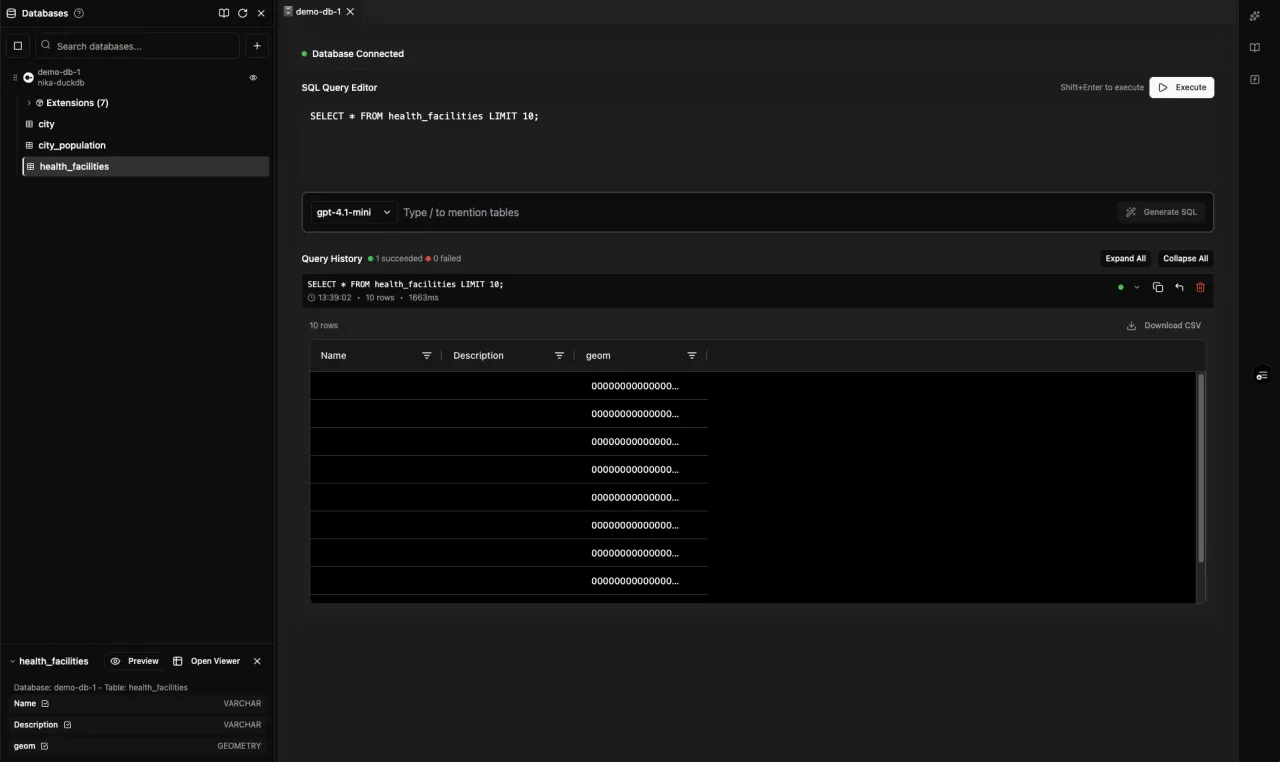
DBMS turns natural-language requests into optimized spatial SQL by understanding your schema. It connects across PostgreSQL, DuckDB, Snowflake, BigQuery, and more, and queries Workspace data-lake files directly without duplication — answers come faster across mixed database infrastructure, with query history kept for reproducibility.
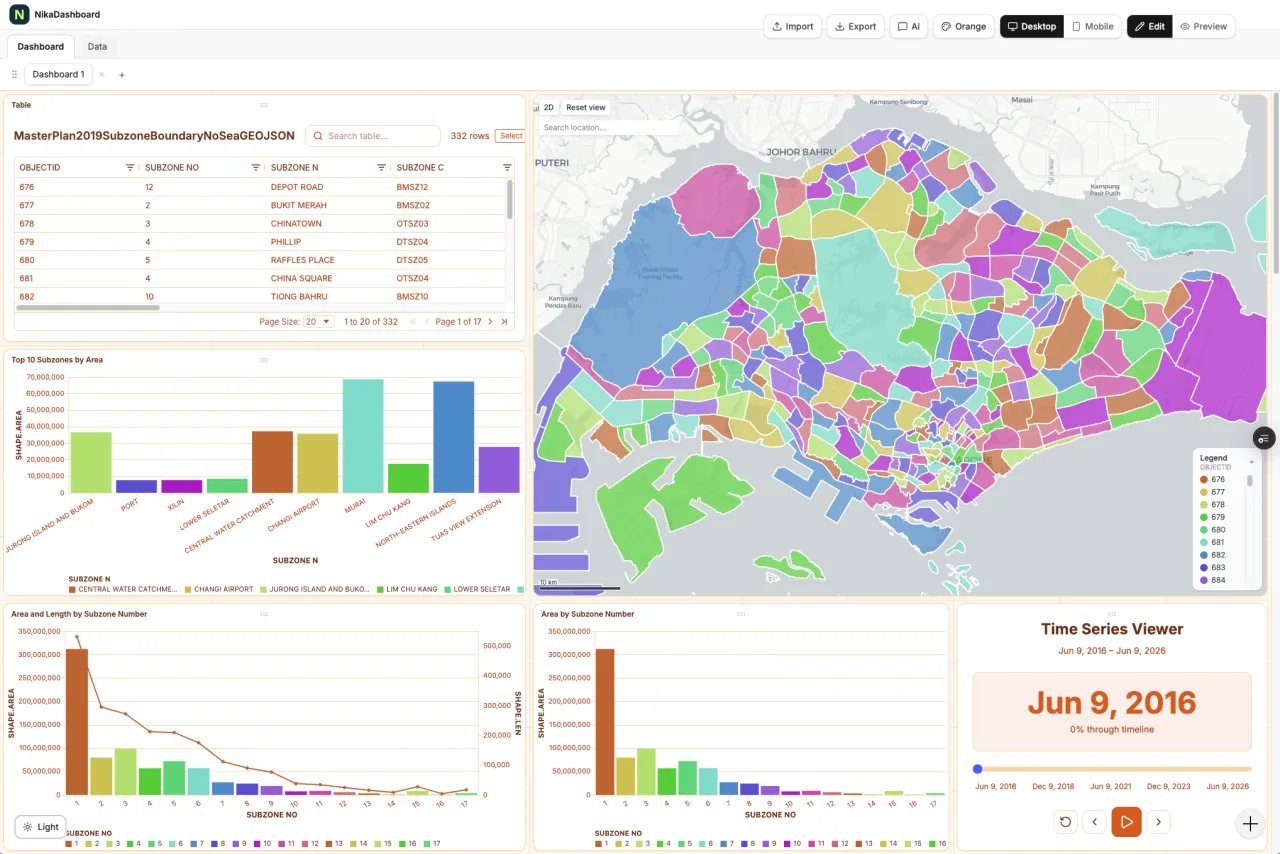
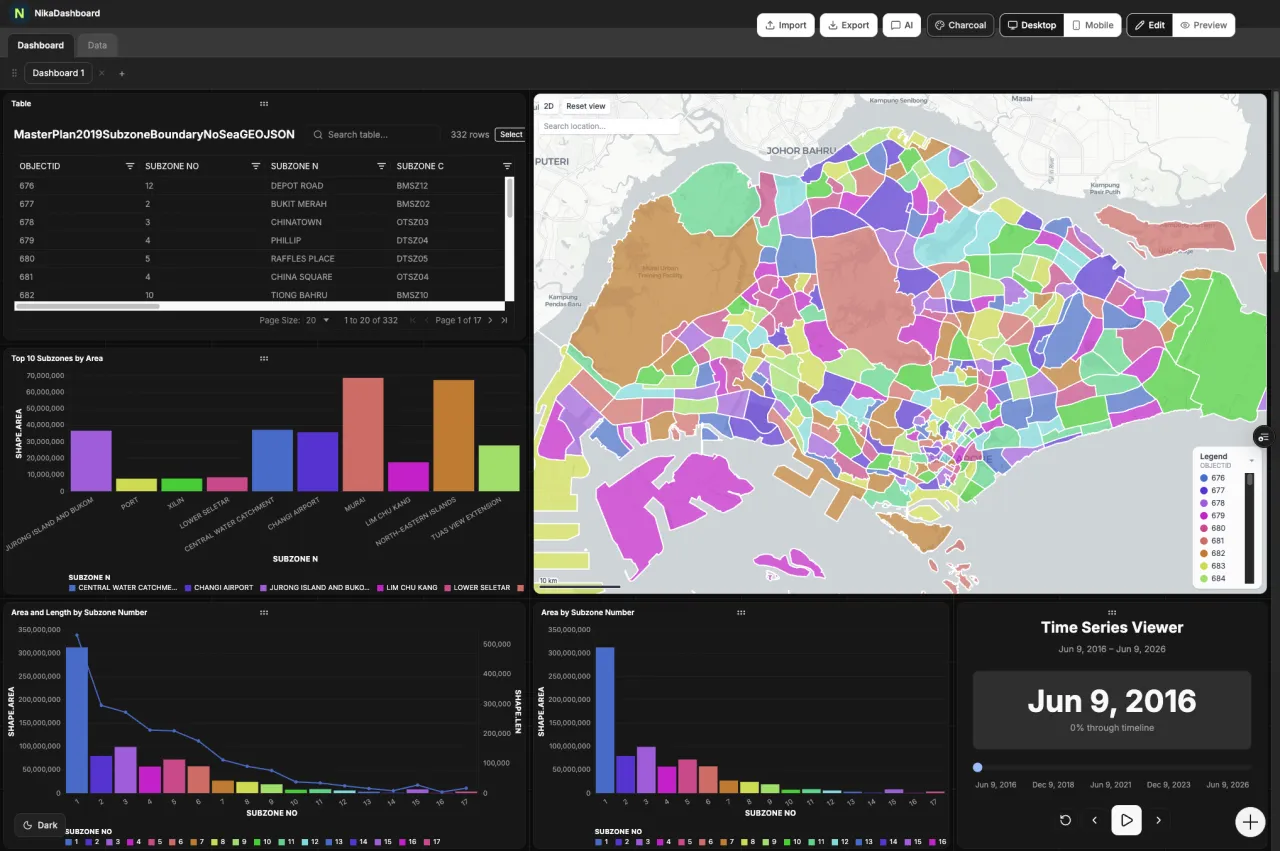
Dashboard is a real-time analytics builder for geospatial business intelligence, assembled through a drag-and-drop interface with live preview. It connects to APIs, databases, CSVs, and IoT streams, integrates natively with NIKA Map, and supports full branding and permissions — decision-ready dashboards without development resources.
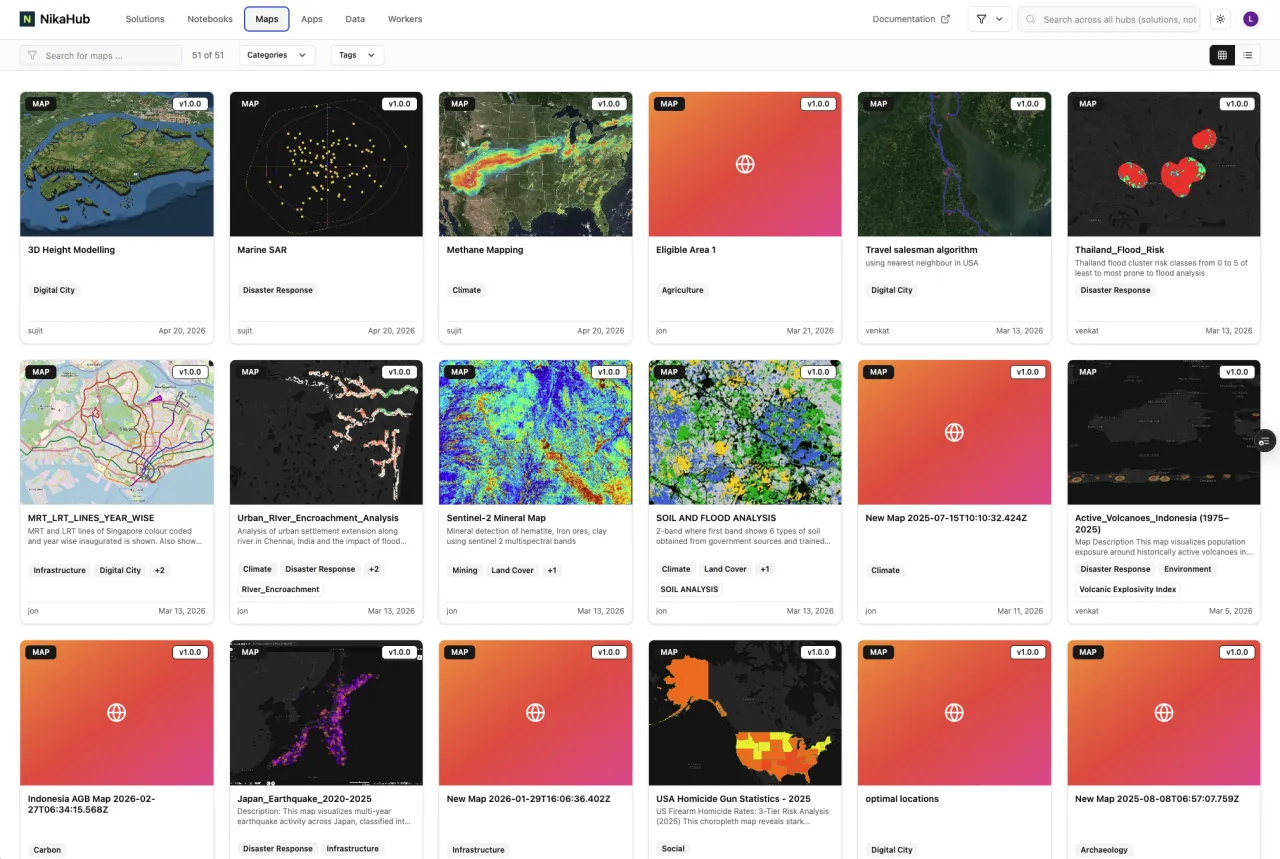
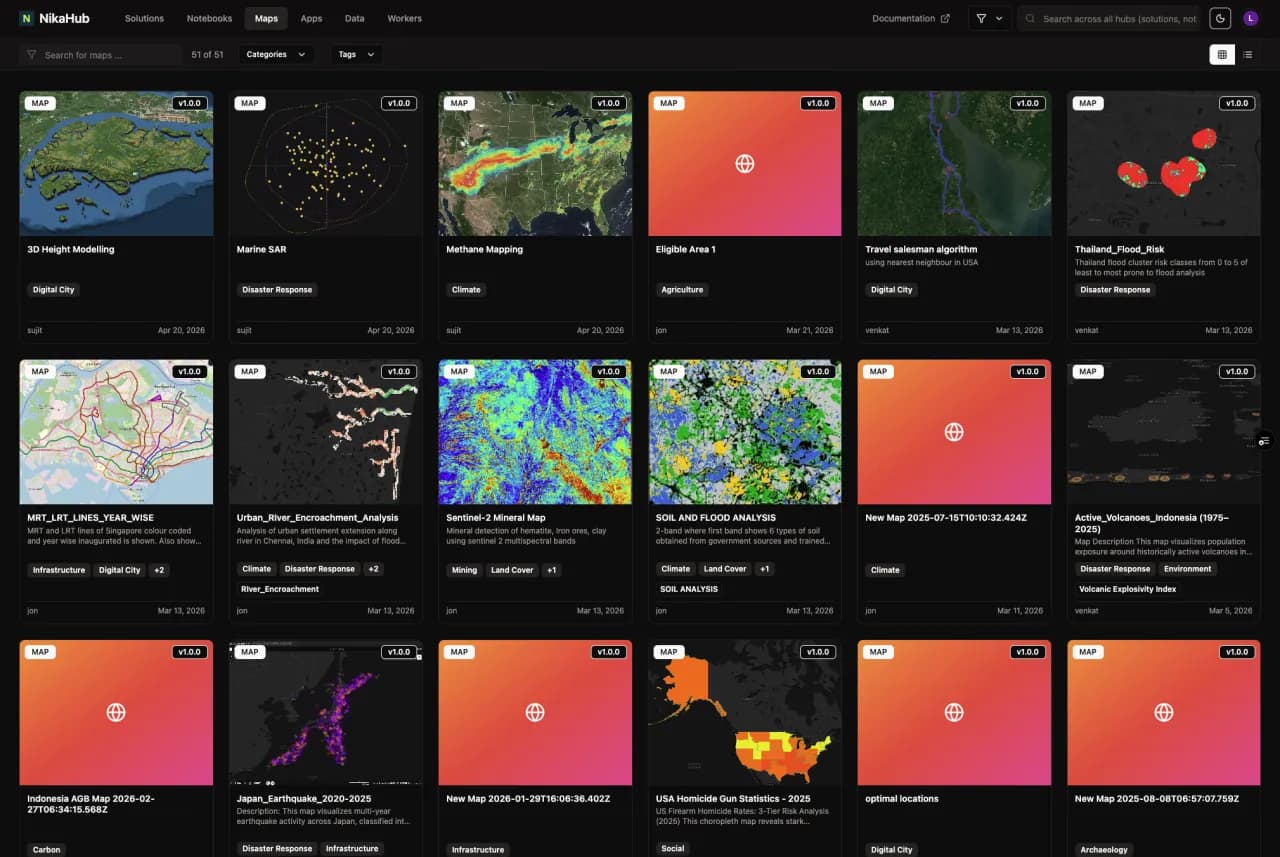
Hub is where teams discover, share, and showcase geospatial apps, maps, dashboards, and notebooks. One-click publishing with public, team-only, or password-protected access lets organizations reuse ready-made templates and industry workflows — or share their own — so teams start from proven examples instead of reinventing the wheel.
GeoEngine packages Python and R geospatial workloads into reproducible, GPU-accelerated Docker containers with a single command. Semantic versioning lets teams rerun the exact same algorithm months later, and workers appear natively inside ArcGIS Pro and QGIS toolboxes — dependable, repeatable results, with AI agents able to scaffold and deploy workers automatically.
Runner SDK delegates Python to the cloud with a single @run decorator — pick the machine (CPUx20, T4x1, H100x1), then submit jobs that run in parallel across many runners at once. An orchestrator run spawns child runs that fan across CPU and GPU compute together, and every run is tracked live with status, logs, and a run graph.
Why NIKA Planet
General-purpose ML and data platforms make you rebuild the geospatial stack yourself — projections, aerial imagery, spatial SQL, the labeling-to-deployment pipeline. NIKA Planet makes all of it native, on one petabyte-scale spatial data lake, so geospatial ML scientists ship models instead of plumbing.
Wrestle GDAL, PROJ, and CUDA into a working build — fighting binary conflicts before a single line of geospatial code runs.
Notebooks ship with GDAL and CUDA preinstalled and spatial libraries native across every layer, so you start analyzing immediately.
GDAL + CUDA preinstalledSatellite and drone rasters are treated as plain RGB — the georeferencing and coordinate systems your work depends on get quietly dropped.
Top-down imagery is first-class; coordinate systems are auto-detected and preserved from ingestion through labeling and training.
Auto CRS · GeoTIFF / COGA generic text-to-SQL assistant has no idea what a spatial join, a projection, or a spatial index even is.
Schema-aware plain English becomes optimized spatial SQL — ST_* functions and spatial joins — across your connected engines.
NL → spatial SQL · PostGIS · DuckDBStatic plots and BI tiles choke the moment a spatial layer gets large, so you down-sample and lose the detail that matters.
WebGL renders millions of features and gigabytes of raster live in the browser — pan, zoom, and inspect at full resolution.
Millions of features · in-browserA separate labeling tool, a separate notebook, and a separate MLOps stack — stitched together by hand-moving datasets between them.
One loop: AI-assisted labeling on the same data lake your notebooks train on, exported COCO-ready for the model step.
SAM2 / SAM3 · COCO exportWrap every model in a bespoke API or proxy service just so analysts in their desktop GIS can finally use it.
GeoEngine publishes a version-pinned, GPU-ready container that appears as a native tool inside ArcGIS Pro and QGIS.
Reproducible · ArcGIS / QGISThe difference is the same one across every row: general-purpose platforms make you rebuild the geospatial stack yourself. NIKA Planet makes it native — so you ship models, not plumbing.
Get started
NIKA Planet runs as a fully managed cloud platform you can trial today — or deploy it inside your own environment when data residency, security, or compliance require it.
Cloud teams
NIKA Planet is already hosted and managed in our cloud. Spin up a workspace and run the full annotate-train-deploy loop in minutes — no infrastructure to stand up, always on the latest version.
On-prem & self-hosted
Run NIKA Planet inside your own cloud, data center, or air-gapped network when data residency, security, or compliance require it. Our team scopes the deployment and sizing with you.